


Page 137 - UNI 101 Computer Science Handout.
P. 137
Faculty of Nursing
                                                                  Adult care Nursing Department


              Galleries


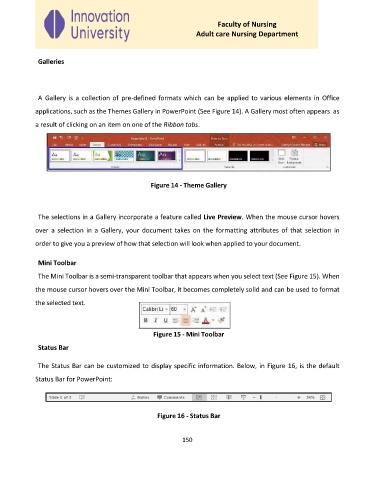
              A  Gallery is a  collection of pre-defined formats which  can be  applied to various elements in Office
             applications, such as the Themes Gallery in PowerPoint (See Figure 14). A Gallery most often appears  as

             a result of clicking on an item on one of the Ribbon tabs.


                                                   Figure 14 - Theme Gallery


              The selections in a Gallery incorporate a feature called Live Preview. When the mouse cursor hovers

             over  a selection  in  a  Gallery,  your  document takes  on the  formatting  attributes  of  that  selection  in

             order to give you a preview of how that selection will look when applied to your document.


              Mini Toolbar
              The Mini Toolbar is a semi-transparent toolbar that appears when you select text (See Figure 15). When

             the mouse cursor hovers over the Mini Toolbar, it becomes completely solid and can be used to format

             the selected text.


                                                    Figure 15 - Mini Toolbar

              Status Bar


              The Status Bar can be customized to display specific information. Below, in Figure 16, is the default

             Status Bar for PowerPoint:


                                                     Figure 16 - Status Bar


                                                             150

