


Page 139 - UNI 101 Computer Science Handout.
P. 139
Faculty of Nursing
                                                                  Adult care Nursing Department


              Applying a Theme to a Presentation


              1.     On the Ribbon, select the Design tab (See Figure 18).


              2.     In the Themes group, hover over a theme with your mouse to see a preview.


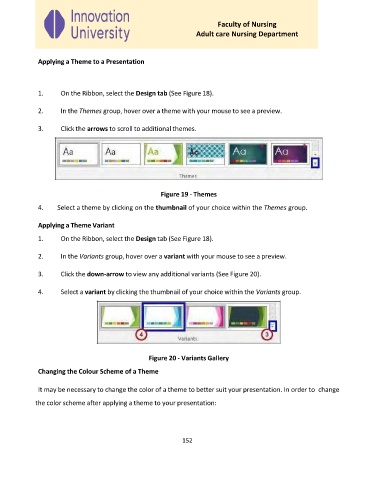
              3.     Click the arrows to scroll to additional themes.


                                                      Figure 19 - Themes

              4.    Select a theme by clicking on the thumbnail of your choice within the Themes group.


              Applying a Theme Variant
              1.     On the Ribbon, select the Design tab (See Figure 18).


              2.     In the Variants group, hover over a variant with your mouse to see a preview.


              3.     Click the down-arrow to view any additional variants (See Figure 20).

              4.     Select a variant by clicking the thumbnail of your choice within the Variants group.


                                                  Figure 20 - Variants Gallery

              Changing the Colour Scheme of a Theme


              It may be necessary to change the color of a theme to better suit your presentation. In order to  change
             the color scheme after applying a theme to your presentation:


                                                             152

