


Page 140 - UNI 101 Computer Science Handout.
P. 140
Faculty of Nursing
                                                                  Adult care Nursing Department


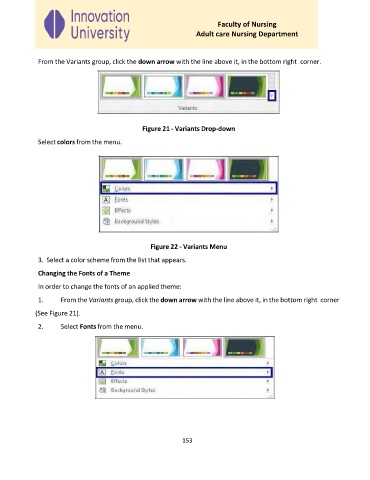
              From the Variants group, click the down arrow with the line above it, in the bottom right  corner.


                                                Figure 21 - Variants Drop-down

              Select colors from the menu.


                                                   Figure 22 - Variants Menu

              3.  Select a color scheme from the list that appears.

              Changing the Fonts of a Theme
              In order to change the fonts of an applied theme:

              1.     From the Variants group, click the down arrow with the line above it, in the bottom right  corner

             (See Figure 21).
              2.     Select Fonts from the menu.


                                                             153

