


Page 143 - UNI 101 Computer Science Handout.
P. 143
Faculty of Nursing
                                                                  Adult care Nursing Department


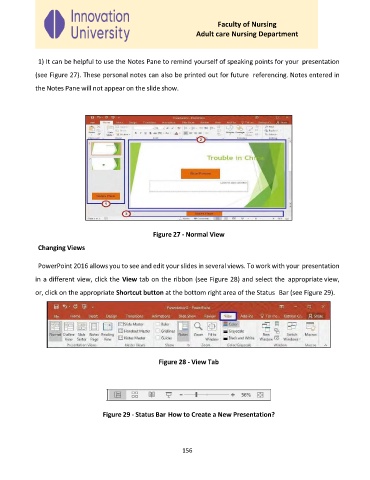
              1) It can be helpful to use the Notes Pane to remind yourself of speaking points for your  presentation

             (see Figure 27). These personal notes can also be printed out for future  referencing. Notes entered in

             the Notes Pane will not appear on the slide show.


                                                    Figure 27 - Normal View
              Changing Views


              PowerPoint 2016 allows you to see and edit your slides in several views. To work with your presentation

             in a different view, click the View tab on the ribbon (see Figure 28) and select the  appropriate view,

             or, click on the appropriate Shortcut button at the bottom right area of the Status  Bar (see Figure 29).


                                                      Figure 28 - View Tab


                                   Figure 29 - Status Bar How to Create a New Presentation?


                                                             156

