


Page 147 - UNI 101 Computer Science Handout.
P. 147
Faculty of Nursing
                                                                  Adult care Nursing Department


              1.     Within the slides pane, select the slide that you would like to insert a new slide after.


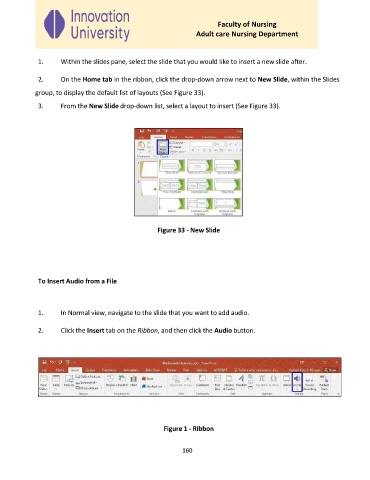
              2.     On the Home tab in the ribbon, click the drop-down arrow next to New Slide, within the Slides
             group, to display the default list of layouts (See Figure 33).

              3.     From the New Slide drop-down list, select a layout to insert (See Figure 33).


                                                     Figure 33 - New Slide


              To Insert Audio from a File


              1.     In Normal view, navigate to the slide that you want to add audio.

              2.     Click the Insert tab on the Ribbon, and then click the Audio button.


                                                       Figure 1 - Ribbon


                                                             160

