


Page 151 - UNI 101 Computer Science Handout.
P. 151
Faculty of Nursing
                                                                  Adult care Nursing Department


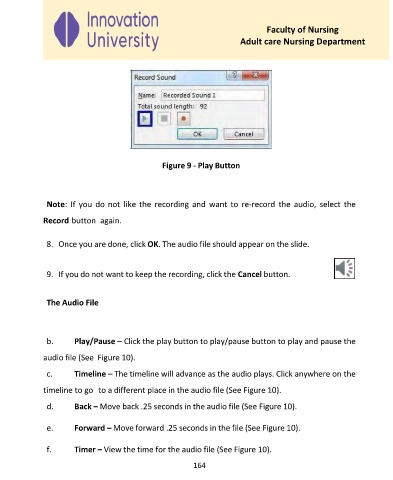
                                             Figure 9 - Play Button


              Note:  If  you do not  like the  recording  and  want to  re-record  the  audio,  select the
             Record button  again.


              8.  Once you are done, click OK. The audio file should appear on the slide.


              9.  If you do not want to keep the recording, click the Cancel button.


              The Audio File


              b.     Play/Pause – Click the play button to play/pause button to play and pause the

             audio file (See  Figure 10).
              c.     Timeline – The timeline will advance as the audio plays. Click anywhere on the

             timeline to go  to a different place in the audio file (See Figure 10).

              d.     Back – Move back .25 seconds in the audio file (See Figure 10).

              e.     Forward – Move forward .25 seconds in the file (See Figure 10).


              f.     Timer – View the time for the audio file (See Figure 10).

                                                     164

