


Page 28 - TIM Tech Tips
P. 28
Android Devices
Add TIM App to Mobile Device
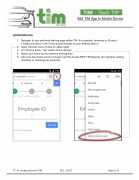
1. Navigate to your preferred starting page within TIM (for example, Inventory or Product Checkout screen) in the Chrome web browser on your Android device
2. Open Chrome menu (3 dots on upper right)
3. On Chrome menu, Tap “Add to Home Screen”
4. Name your home screen shortcut and tap Add
5. Use your new home screen icon(s) to quickly access RSG TIM features (for example viewing
inventory or checking out products)
TT- PC Configuration for TIM REV. 3/4/17 Page 2 of 2


