


Page 4 - Scroller & Page Turner - User Manual
P. 4
HOW TO SYNC SCROLLER
        TO BLUETOOTH


        1.   Turn on your Bluetooth for pairing on your phone.

        2.  Grab your scroller and hold down the middle button on the scroller
            for 5 seconds and release and the light should start flashing (you
            can also hold down the middle button until it starts flashing).
        3.  Then  hold  down  the  up  and  down  buttons  on  the  scroller  for  5

            seconds until the light starts flashing blue or let go after 5 seconds
            and see if the light turns blue which means it has connected.
        4.  Click on “A07” pairing on your Bluetooth to sync the scroller to phone.
        5.  Go  to  Settings  on  your  phone  and  then  Accessibility  and  then

            “Touch” and turn on “Assistive Touch” and “Reachability”.
        6.  Begin scrolling on apps that are compatible with scroller.


        HOW TO SYNC SCROLLER
        TO KINDLE


        1.   Turn on the scroller by holding down the middle button
            for 5 seconds until it turns on blue (you can also hold
            down the middle button until it starts flashing).
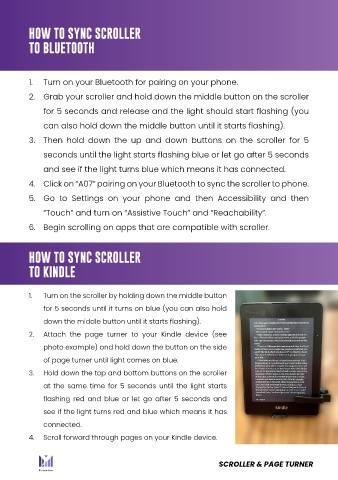
        2.   Attach  the  page  turner  to  your  Kindle  device  (see
            photo example) and hold down the button on the side
            of page turner until light comes on blue.
        3.   Hold down the top and bottom buttons on the scroller
            at  the  same  time  for  5  seconds  until  the  light  starts
            flashing  red  and  blue  or  let  go  after  5  seconds  and
            see if the light turns red and blue which means it has
            connected.
        4.   Scroll forward through pages on your Kindle device.


                                                       SCROLLER & PAGE TURNER

