


Page 49 - JOJAPS_VOL15
P. 49
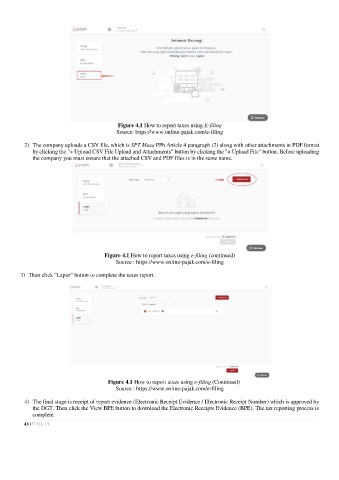
Figure 4.1 How to report taxes using E-filing
                                          Source: https://www.online-pajak.com/e-filing

          2)  The company uploads a CSV file, which is SPT Masa PPh Article 4 paragraph (2) along with other attachments in PDF format
            by clicking the "+ Upload CSV File Upload and Attachments" button by clicking the "+ Upload File" button. Before uploading
            the company you must ensure that the attached CSV and PDF files is in the same name.


                                      Figure 4.1 How to report taxes using e-filing (continued)
                                          Source : https://www.online-pajak.com/e-filing

        3)  Then click “Lapor” button to complete the taxes report.


                                       Figure 4.1 How to report taxes using e-filing (Continued)
                                          Source : https://www.online-pajak.com/e-filing

          4)  The final stage is receipt of report evidence (Electronic Receipt Evidence / Electronic Receipt Number) which is approved by
            the DGT. Then click the View BPE button to download the Electronic Receipts Evidence (BPE). The tax reporting process is
            complete.

           43 | V O L 15

