


Page 109 - UNI 101 Computer Science Handout.
P. 109
Faculty of Nursing
                                                                  Adult care Nursing Department


              Columns


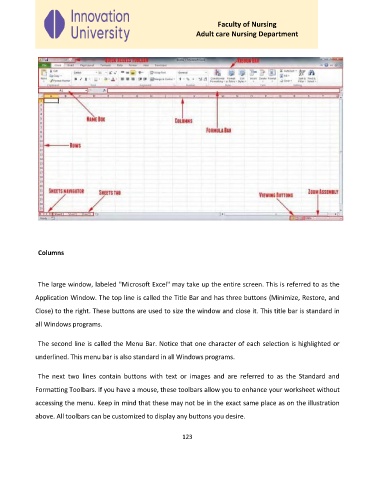
              The large window, labeled "Microsoft Excel" may take up the entire screen. This is referred to as the

             Application Window. The top line is called the Title Bar and has three buttons (Minimize, Restore, and

             Close) to the right. These buttons are used to size the window and close it. This title bar is standard in
             all Windows programs.


              The second line is called the Menu Bar. Notice that one character of each selection is highlighted or

             underlined. This menu bar is also standard in all Windows programs.


              The  next  two  lines  contain  buttons  with  text  or  images  and  are  referred  to  as  the  Standard  and

             Formatting Toolbars. If you have a mouse, these toolbars allow you to enhance your worksheet without
             accessing the menu. Keep in mind that these may not be in the exact same place as on the illustration

             above. All toolbars can be customized to display any buttons you desire.


                                                             123

