


Page 104 - 24JAM_Pintar_Pemrograman_Android__1-libre
P. 104
24 JAM!! Pintar Pemrograman Android
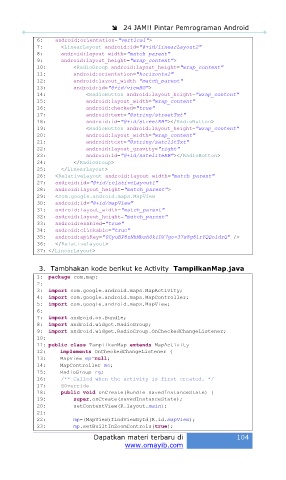
6: android:orientation="vertical">
7: <LinearLayout android:id="@+id/linearLayout2"
8: android:layout_width="match_parent"
9: android:layout_height="wrap_content">
10: <RadioGroup android:layout_height="wrap_content"
11: android:orientation="horizontal"
12: android:layout_width="match_parent"
13: android:id="@+id/viewRG">
14: <RadioButton android:layout_height="wrap_content"
15: android:layout_width="wrap_content"
16: android:checked="true"
17: android:text="@string/streetTxt"
18: android:id="@+id/streetRB"></RadioButton>
19: <RadioButton android:layout_height="wrap_content"
20: android:layout_width="wrap_content"
21: android:text="@string/satelitTxt"
22: android:layout_gravity="right"
23: android:id="@+id/sateliteRB"></RadioButton>
24: </RadioGroup>
25: </LinearLayout>
26: <RelativeLayout android:layout_width="match_parent"
27: android:id="@+id/relativeLayout1"
28: android:layout_height="match_parent">
29: <com.google.android.maps.MapView
30: android:id="@+id/mapView"
31: android:layout_width="match_parent"
32: android:layout_height="match_parent"
33: android:enabled="true"
34: android:clickable="true"
35: android:apiKey="0CyuBP8zNhMbsh0kiDX7go-37s8g81rYQQoldrQ" />
36: </RelativeLayout>
37: </LinearLayout>
3. Tambhakan kode berikut ke Activity TampilkanMap.java
1: package com.map;
2:
3: import com.google.android.maps.MapActivity;
4: import com.google.android.maps.MapController;
5: import com.google.android.maps.MapView;
6:
7: import android.os.Bundle;
8: import android.widget.RadioGroup;
9: import android.widget.RadioGroup.OnCheckedChangeListener;
10:
11: public class TampilkanMap extends MapActivity
12: implements OnCheckedChangeListener {
13: MapView mp=null;
14: MapController mc;
15: RadioGroup rg;
16: /** Called when the activity is first created. */
17: @Override
18: public void onCreate(Bundle savedInstanceState) {
19: super.onCreate(savedInstanceState);
20: setContentView(R.layout.main);
21:
22: mp=(MapView)findViewById(R.id.mapView);
23: mp.setBuiltInZoomControls(true);
Dapatkan materi terbaru di 104
www.omayib.com

