


Page 63 - Advantech WP-5530
P. 63
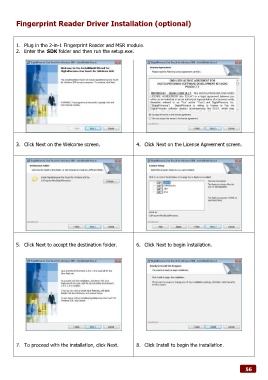
Fingerprint Reader Driver Installation (optional)


        1.  Plug in the 2-in-1 Fingerprint Reader and MSR module.
        2.  Enter the SDK folder and then run the setup.exe.


        3.  Click Next on the Welcome screen.                 4.  Click Next on the License Agreement screen.


        5.  Click Next to accept the destination folder.      6.  Click Next to begin installation.


        7.  To proceed with the installation, click Next.     8.  Click Install to begin the installation.


                                                                                                              56

