


Page 85 - ansys
P. 85
4.2.10  Graphics Windows

         Graphics windows display the program's graphical output, and may be viewed within the FLUENT
         application window or in separate windows. The decision to embed the graphics window or to have
         floating graphics windows is made when you start ANSYS FLUENT using FLUENT Launcher. For
         information about FLUENT Launcher. Setting General Options in FLUENT Launcher. When viewed
         within the application window.
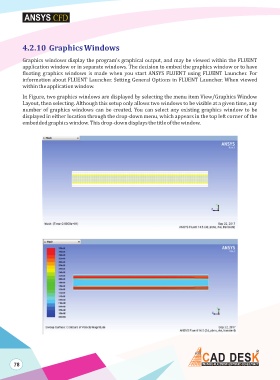
         In Figure, two graphics windows are displayed by selecting the menu item View/Graphics Window
         Layout, then selecting. Although this setup only allows two windows to be visible at a given time, any
         number of graphics windows can be created. You can select any existing graphics window to be
         displayed in either location through the drop-down menu, which appears in the top left corner of the
         embedded graphics window. This drop-down displays the title of the window.


      78

