


Page 2185 - Workshop Manual - Tunland (2017)
P. 2185
AUDIO SYSTEM - DVD & NAVIGATION ASSEMBLY                          66-7

                 DVD & NAVIGATION ASSEMBLY

                 REPLACEMENT
                 1 .    Disconnect the negative cable of the battery (Refer to "Chapter 20Starting &
                        Charging - Battery, Replacement")

                                                           2 .    Remove the DVD & navigation assembly
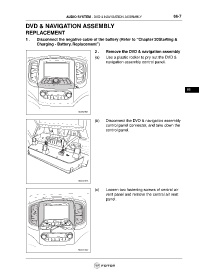
                                                           (a)    Use a plastic rocker to pry out the DVD &
                                                                  navigation assembly control panel.


                                                                                                                     66


                                                 ftwx661021


                                                           (b)    Disconnect the DVD & navigation assembly
                                                                  control panel connector, and take down the
                                                                  control panel.


                                                 ftwx661016

                                                           (c)    Loosen two fastening screws of central air
                                                                  vent panel and remove the central air vent
                                                                  panel.


                                                 ftwx661022

