


Page 86 - UNI 101 Computer Science Handout.
P. 86
Faculty of Nursing
                                                                  Adult care Nursing Department


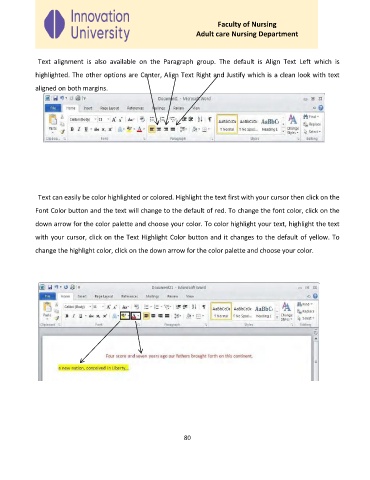
              Text  alignment  is  also  available  on  the  Paragraph  group.  The  default  is  Align  Text  Left  which  is

             highlighted. The other options are Center, Align Text Right and Justify which is a clean look with text

             aligned on both margins.


              Text can easily be color highlighted or colored. Highlight the text first with your cursor then click on the

             Font Color button and the text will change to the default of red. To change the font color, click on the

             down arrow for the color palette and choose your color. To color highlight your text, highlight the text
             with your cursor, click on the Text Highlight Color button and it changes to the default of yellow. To

             change the highlight color, click on the down arrow for the color palette and choose your color.


                                                              80

