


Page 83 - UNI 101 Computer Science Handout.
P. 83
Faculty of Nursing
                                                                  Adult care Nursing Department


              You can also start a document from a template from the New view as well. There are many to download

             and choose from if you are on the Internet from Office.com like Letters, Flyers and Forms. If there is no

             Internet connection, you may choose from the Sample templates under Available

              https://www.youtube.com/watch?v=S-nHYzK-BVg


              Spelling and Grammar Mistakes


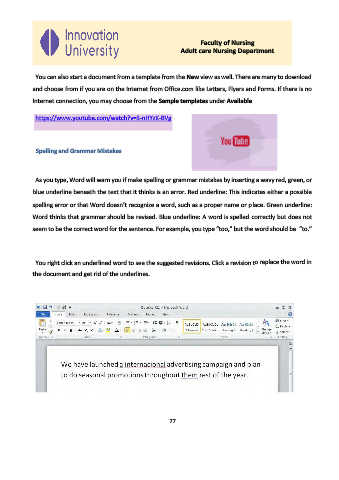
              As you type, Word will warn you if make spelling or grammar mistakes by inserting a wavy red, green, or

             blue underline beneath the text that it thinks is an error. Red underline: This indicates either a possible

             spelling error or that Word doesn’t recognize a word, such as a proper name or place. Green underline:

             Word thinks that grammar should be revised. Blue underline: A word is spelled correctly but does not
             seem to be the correct word for the sentence. For example, you type “too,” but the word should be  “to.”


              You right click an underlined word to see the suggested revisions. Click a revision to replace the word in

             the document and get rid of the underlines.


                                                              77

