


Page 81 - Computer Graphics Handout
P. 81
uint id = glutCreateWindow("second window");
          The returned integer value allows us to select this window as the current window into which objects will be rendered by
          glutSetWindow(id);
          We can make this window have properties different from those of other windows by invoking the glutInitDisplayMode before
          glutCreateWindow. Furthermore, each window can have its own set of callback functions because callback specifications
          refer to the present window.


          2.12 MENUS


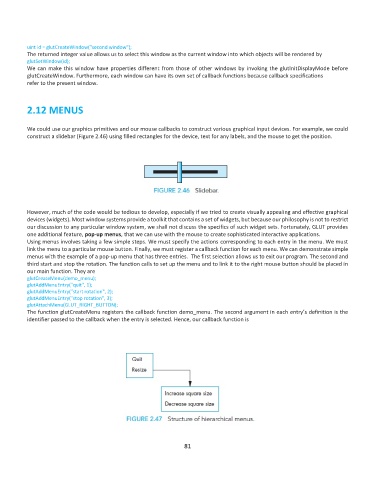
          We could use our graphics primitives and our mouse callbacks to construct various graphical input devices. For example, we could
          construct a slidebar (Figure 2.46) using filled rectangles for the device, text for any labels, and the mouse to get the position.


          However, much of the code would be tedious to develop, especially if we tried to create visually appealing and effective graphical
          devices (widgets). Most window systems provide a toolkit that contains a set of widgets, but because our philosophy is not to restrict
          our discussion to any particular window system, we shall not discuss the specifics of such widget sets. Fortunately, GLUT provides
          one additional feature, pop-up menus, that we can use with the mouse to create sophisticated interactive applications.
          Using menus involves taking a few simple steps. We must specify the actions corresponding to each entry in the menu. We must
          link the menu to a particular mouse button. Finally, we must register a callback function for each menu. We can demonstrate simple
          menus with the example of a pop-up menu that has three entries.  The first selection allows us to exit our program. The second and
          third start and stop the rotation. The function calls to set up the menu and to link it to the right mouse button should be placed in
          our main function. They are
          glutCreateMenu(demo_menu);
          glutAddMenuEntry("quit", 1);
          glutAddMenuEntry("start rotation", 2);
          glutAddMenuEntry("stop rotation", 3);
          glutAttachMenu(GLUT_RIGHT_BUTTON);
          The function glutCreateMenu registers the callback function demo_menu. The second argument in each entry’s definition is the
          identifier passed to the callback when the entry is selected. Hence, our callback function is


                                                              81

