


Page 129 - Sterilization Training Manual
P. 129
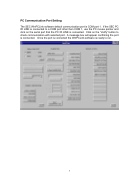
PC Communication Port Setting
The SEC WinPCLink software default communication port is COM port 1. If the SEC PC IR LINK is connected to a COM port other then COM 1, use the PC mouse pointer and click on the serial port that the PC IR LINK is connected. Click on the “Verify” button to check communication with selected port. A message box will appear confirming the port is connected. Once the port is connected the WinPCLink software is ready to run.
6


