


Page 11 - Graphic Mac User Guide
P. 11
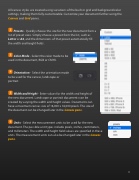
 All canvas styles are created using variations of the built-in grid and background color settings, making them fully customizable. Customize your document further using the Canvas and Grid panes.
Presets - Quickly choose the size for the new document from a list of preset sizes. Simply choose a preset from the list, such as Letter or A4, and the dimensions of that preset automatically  ll the width and height  elds.
Color Mode - Select the color mode to be used in the document, RGB or CMYK.
Orientation - Select the orientation mode to be used for the canvas, landscape or portrait.
Width and Height - Enter values for the width and height of the new document. Landscape or portrait documents can be created by varying the width and height values. Documents can have a maximum canvas size of 16,000 x 16,000 pixels. The size of the document can be changed later in the Canvas pane.
Units - Select the measurement units to be used for the new document. The possible unit types include pixels, inches, centimeters, and millimeters. The width and height  eld values are speci ed in these units. The measurement units can also be changed later in the Canvas pane.
          11


