


Page 25 - Graphic Mac User Guide
P. 25
 Deleting Layers
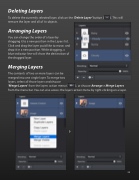
To delete the currently selected layer, click on the ‘Delete Layer’ button (   ). This will remove the layer and all of its objects.
Arranging Layers
You can change the order of a layer by dragging it to a new position in the Layers list. Click and drag the layer you’d like to move, and drop it in a new position. While dragging, a blue indicator line will show the destination of the dragged layer.
Merging Layers
The contents of two or more layers can be
merged into one single layer. To merge two
layers, select all those layers and choose
‘Merge Layers’ from the layers action menu (   ), or choose Arrange > Merge Layers from the menu bar. You can also access the layers action menu by right-clicking on a layer.
         25


