


Page 73 - Graphic Mac User Guide
P. 73
        Hand Tool
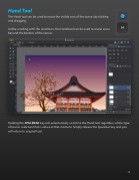
The Hand tool can be used to move the visible area of the canvas by clicking and dragging.
Unlike scrolling with the scroll bars, the Hand tool can be used to reveal areas beyond the borders of the canvas.
     Holding the SPACEBAR key will automatically switch to the Hand tool regardless of the type of tool or selection that is active at that moment. Simply release the Spacebar key and you will return to original tool.

 73


