


Page 124 - UNI 101 Computer Science Handout.
P. 124
Faculty of Nursing
                                                                  Adult care Nursing Department


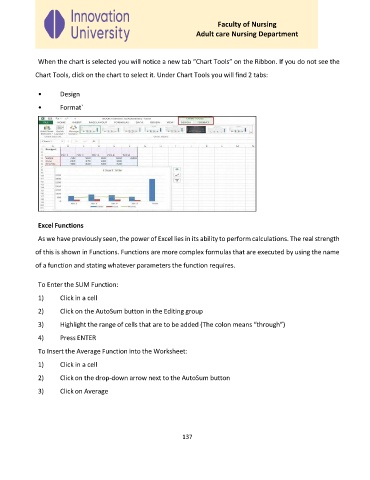
              When the chart is selected you will notice a new tab “Chart Tools” on the Ribbon. If you do not see the

             Chart Tools, click on the chart to select it. Under Chart Tools you will find 2 tabs:

              •      Design

              •      Format`


              Excel Functions

              As we have previously seen, the power of Excel lies in its ability to perform calculations. The real strength
             of this is shown in Functions. Functions are more complex formulas that are executed by using the name

             of a function and stating whatever parameters the function requires.


              To Enter the SUM Function:
              1)     Click in a cell

              2)     Click on the AutoSum button in the Editing group

              3)     Highlight the range of cells that are to be added (The colon means “through”)

              4)     Press ENTER

              To Insert the Average Function into the Worksheet:
              1)     Click in a cell

              2)     Click on the drop-down arrow next to the AutoSum button

              3)     Click on Average


                                                             137

