


Page 120 - UNI 101 Computer Science Handout.
P. 120
Faculty of Nursing
                                                                  Adult care Nursing Department


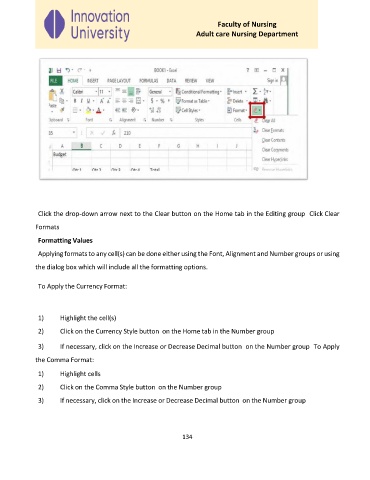
              Click the drop-down arrow next to the Clear button on the Home tab in the Editing group  Click Clear

             Formats

              Formatting Values

              Applying formats to any cell(s) can be done either using the Font, Alignment and Number groups or using
             the dialog box which will include all the formatting options.


              To Apply the Currency Format:


              1)     Highlight the cell(s)
              2)     Click on the Currency Style button  on the Home tab in the Number group


              3)     If necessary, click on the Increase or Decrease Decimal button  on the Number group  To Apply

             the Comma Format:
              1)     Highlight cells

              2)     Click on the Comma Style button  on the Number group

              3)     If necessary, click on the Increase or Decrease Decimal button  on the Number group


                                                             134

