


Page 167 - UNI 101 Computer Science Handout.
P. 167
Faculty of Nursing
                                                                  Adult care Nursing Department


             but it means that less information fits onto each screen.

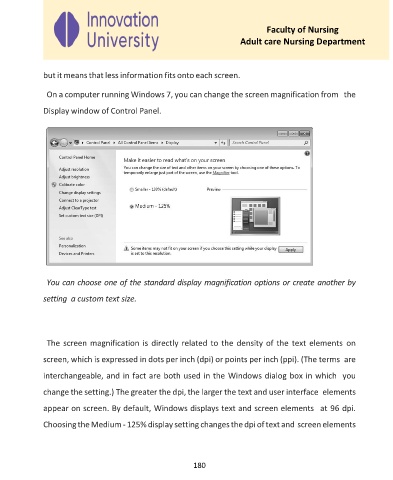
              On a computer running Windows 7, you can change the screen magnification from  the

             Display window of Control Panel.


              You can choose one of the standard display magnification options or create another by

             setting  a custom text size.


              The screen magnification is directly related to the density of the text elements  on

             screen, which is expressed in dots per inch (dpi) or points per inch (ppi). (The terms  are

             interchangeable, and in fact are both used in the Windows dialog box in which  you

             change the setting.) The greater the dpi, the larger the text and user interface  elements
             appear on screen. By default, Windows displays text and screen elements  at 96 dpi.

             Choosing the Medium - 125% display setting changes the dpi of text and screen elements


                                                     180

