


Page 92 - UNI 101 Computer Science Handout.
P. 92
Faculty of Nursing
                                                                  Adult care Nursing Department


              The File Tab with Print Option


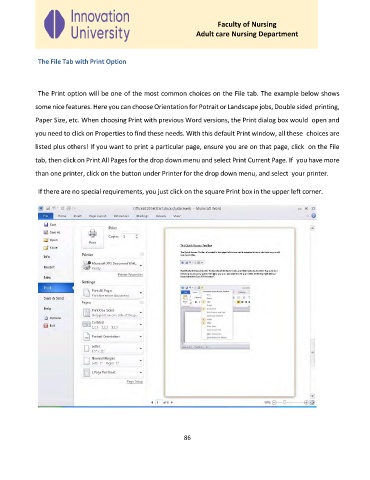
              The Print option will be one of the most common choices on the File tab. The example below shows
             some nice features. Here you can choose Orientation for Potrait or Landscape jobs, Double sided printing,

             Paper Size, etc. When choosing Print with previous Word versions, the Print dialog box would  open and

             you need to click on Properties to find these needs. With this default Print window, all these  choices are

             listed plus others! If you want to print a particular page, ensure you are on that page, click  on the File
             tab, then click on Print All Pages for the drop down menu and select Print Current Page. If  you have more

             than one printer, click on the button under Printer for the drop down menu, and select  your printer.


              If there are no special requirements, you just click on the square Print box in the upper left corner.


                                                              86

