


Page 97 - UNI 101 Computer Science Handout.
P. 97
Faculty of Nursing
                                                                  Adult care Nursing Department


              Charts can also be added to a document. There are many to choose from such as column charts, line

             graphs, pie charts, bar charts, area graphs, and stock charts. Click on the Chart button and the Insert

             Chart box will appear. Select the type of chart on the left, select the chart on the right, click OK and the
             chart will appear and it then can be manipulated.


              Headers, Footers and Page Numbers can also be added to a document from the Header & Footer group
             on the Insert Ribbon. For a multi-page document, the content of the Header will be seen at the top of

             each printed page and the Footer will be seen at the bottom as well as the page number when added.


              These are just a few common examples on the Insert tab. The size of your object can also be changed.

             After you add the object, a box appears around it with circles in each corner. Hover your cursor over the
             bottom right circle until the arrow appears, hold the left mouse button and just move your mouse!


              Page Layout Tab


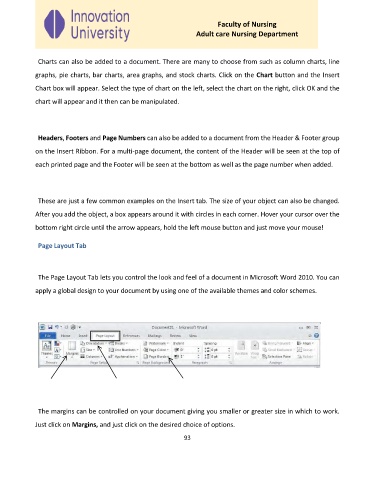
              The Page Layout Tab lets you control the look and feel of a document in Microsoft Word 2010. You can

             apply a global design to your document by using one of the available themes and color schemes.


              The margins can be controlled on your document giving you smaller or greater size in which to work.

             Just click on Margins, and just click on the desired choice of options.

                                                              93

