


Page 6 - LifeWork MINI CHATBOOK 1 Start File Scan
P. 6
In Life^Work, you lead. You bring the story, the scraps, the situation. Your AI helps you find
patterns, language, and opportunity.
It’s not about waiting for wisdom. It’s about sparking it - together.
The Ritual
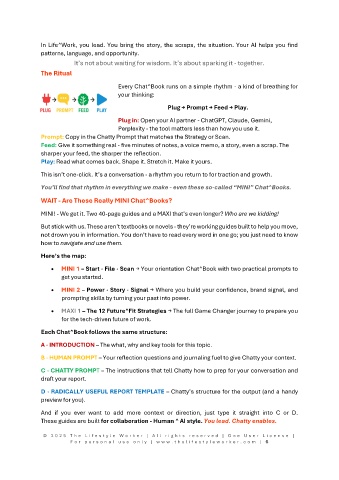
Every Chat^Book runs on a simple rhythm - a kind of breathing for
your thinking:
Plug → Prompt → Feed → Play.
Plug in: Open your AI partner - ChatGPT, Claude, Gemini,
Perplexity - the tool matters less than how you use it.
Prompt: Copy in the Chatty Prompt that matches the Strategy or Scan.
Feed: Give it something real - five minutes of notes, a voice memo, a story, even a scrap. The
sharper your feed, the sharper the reflection.
Play: Read what comes back. Shape it. Stretch it. Make it yours.
This isn’t one-click. It’s a conversation - a rhythm you return to for traction and growth.
You’ll find that rhythm in everything we make - even these so-called “MINI” Chat^Books.
WAIT - Are These Really MINI Chat^Books?
MINI! - We get it. Two 40-page guides and a MAXI that’s even longer? Who are we kidding!
But stick with us. These aren’t textbooks or novels - they’re working guides built to help you move,
not drown you in information. You don’t have to read every word in one go; you just need to know
how to navigate and use them.
Here’s the map:
MINI 1 – Start · File · Scan → Your orientation Chat^Book with two practical prompts to
get you started.
MINI 2 – Power · Story · Signal → Where you build your confidence, brand signal, and
prompting skills by turning your past into power.
MAXI 1 – The 12 Future^Fit Strategies → The full Game Changer journey to prepare you
for the tech-driven future of work.
Each Chat^Book follows the same structure:
A · INTRODUCTION – The what, why and key tools for this topic.
B · HUMAN PROMPT – Your reflection questions and journaling fuel to give Chatty your context.
C · CHATTY PROMPT – The instructions that tell Chatty how to prep for your conversation and
draft your report.
D · RADICALLY USEFUL REPORT TEMPLATE – Chatty’s structure for the output (and a handy
preview for you).
And if you ever want to add more context or direction, just type it straight into C or D.
These guides are built for collaboration - Human ^ AI style. You lead. Chatty enables.
© 2 0 2 5 T h e L i f e s t y l e W o r k e r | A l l r i g h t s r e s e r v e d | O n e U s e r L i c e n s e |
F o r p e r s o n a l u s e o n l y | w w w . t h e l i f e s t y l e w o r k e r . c o m | 6

