


Page 70 - Think 4. Teacher's Book B2
P. 70
Unit 5
          Too much tech?                     Culture; Writing


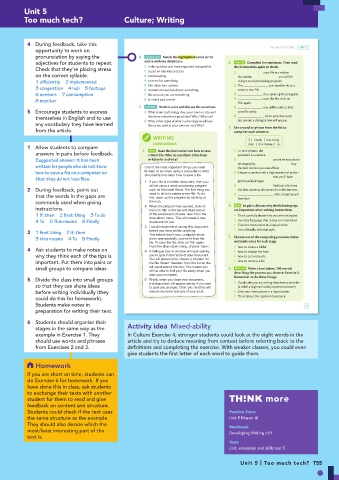
           4   During feedback, take this
             opportunity to work on                                                             TOO MUCH TECH?  UNIT 5
             pronunciation by saying the          4   VOCABULARY   Match the highlighted words in the
             adjectives for students to repeat.     article with the definitions.  2   ANALYSE   Complete the sentences. Then read
             Check that they’re placing stress      1  in the quickest and most organised way possible  the instructions again to check.
                                                    2  to put an idea into practice

             on the correct syllable.               3  overcrowding                1   document,    your file is a written

                                                                                                    you will be
             1 efficiently   2 implemented          4  a centre for something        using a word-processing program.
             3 congestion   4 hub   5 footage       5  film taken by a camera      2  The       you need to do is to
                                                                                     create a new file.
                                                    6  instruments used to detect something
             6 sensors   7 consumption              7  the amount you use something  3        this, open up the program.
             8 monitor                              8  to check and control        4          save the file, click on
                                                                                     ‘file’ again.
                                                  5   SPEAKING   Work in pairs and discuss the questions.  5       you will be able to find
                                                    SPEAKING
           5  Encourage students to express         1  What smart technology does your town or city use?   your file easily.

                                                                                              , when you close your
                                                     Are these initiatives a good idea? Why / Why not?
             themselves in English and to use       2  What other types of smart technology would you   6   document, a dialogue box will appear.
             any vocabulary they have learned        like to see used in your town or city? Why?  3  Use a word or phrase from the list to
             from the article.                                                     complete each sentence.
                                                       WRITING                          if  |  finally  |  first thing
                                                       Instructions                       then  |  this means  |  to
           1  Allow students to compare
                                                     INPUT   Read the instructions on how to save
             answers in pairs before feedback.     1   a Word file. Who do you think it has been   1  To take photos, the
                                                                                     you need is a camera.
             Suggested answer: It has been           written for and why?          2              you’re serious about
             written for people who do not know     One of the most important things you need   photography,       buy
                                                                                     the best camera you can afford.
             how to save a file on a computer so    to learn to do when using a computer to write   3  Choose a camera with a high number of pixels –
                                                    documents is to learn how to save a file.
             that they do not lose files.                                                         that you’ll have
                                                    1  If your file is a written document, then you   good quality images.
                                                     will be using a word-processing program   4       find out which are
           2  During feedback, point out             such as Microsoft Word. The first thing you   the best cameras, do research on the internet.
             that the words in the gaps are          need to do is to create a new file. To do   5   have fun!      , start snapping and
                                                     this, open up the program by clicking on
             commonly used when giving               the icon.                   4   PLAN   In pairs, discuss why the following tips
             instructions.                          2  When the program has opened, click on   are important when writing instructions.
                                                     the icon ‘file’ in the top left-hand corner
             1 If; then   2 first thing   3 To do     of the screen and choose ‘new’ from the   •  Think carefully about who you are writing for.
                                                     drop-down menu. This will create a new
             4 To   5 This means   6 Finally         document for you.             •  Use clear language that is easy to understand.
                                                    3  I would recommend saving this document   •  Give the instructions in a logical order.
           3  1 first thing   2 If; then             before you have written anything.   •  Use a friendly, informal style.
                                                     This means that if your computer shuts
             3 this means   4 To   5 Finally         down unexpectedly, you won’t lose the   5  Choose one of the computing processes below
                                                     file. To save the file, click on ‘file’ again.   and make notes for each stage.
                                                     From the drop-down menu, choose ‘save’.  •  how to create a folder
           4  Ask students to make notes on         4  A dialogue box or window will open asking   •  how to change the font
             why they think each of the tips is      you to type in the name of your document.   •  how to cut and paste
                                                     You will also need to choose a location for
             important. Put them into pairs or       the file. Select ‘desktop’ from the list on the   •  how to rename a file
             small groups to compare ideas.          left-hand side of the box. This means you   6   PROdUCE   Write a text (about 200 words)
                                                     will be able to find your file easily when you
                                                     start your computer.          describing the process you chose in Exercise 5.
           5  Divide the class into small groups    5  Finally, when you close your document,   Remember to do these things.
                                                                                   •  Decide who you are writing these instructions for
             so that they can share ideas            a dialogue box will appear asking if you want   (a child? a beginner? a fairly experienced user?).
                                                     to save any changes. Click ‘yes’ and this will
             before writing individually (they       ensure you never lose any of your work.  •  Give your instructions in a logical order.
             could do this for homework).                                          •  Think about the tips from Exercise 4.
             Students make notes in                                                                         55
             preparation for writing their text.
           6  Students should organise their
             stages in the same way as the    Activity idea  Mixed-ability
             example in Exercise 1. They      In Culture Exercise 4, stronger students could look at the eight words in the
             should use words and phrases     article and try to deduce meaning from context before referring back to the
             from Exercises 2 and 3.          definitions and completing the exercise. With weaker classes, you could even
                                              give students the first letter of each word to guide them.
              Homework
           If you are short on time, students can
           do Exercise 6 for homework. If you
           have done this in class, ask students
           to exchange their texts with another
           student for them to read and give                                                  more
           feedback on content and structure.
           Students could check if the text uses                                  Practice Extra
           the same structure as the example.                                     Unit 5 Master it!
           They should also decide which the                                      Workbook
           most/least interesting part of the                                     Developing Writing p51
           text is.
                                                                                  Tests
                                                                                  Unit, extension and skills test 5
                                                                                      Unit 5 | Too much tech? T55

