


Page 98 - 3E User Manual- updated 3-2018
P. 98
New Matter Intake


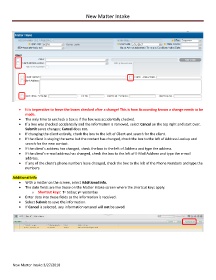
            •  It is imperative to leave the boxes checked after a change! This is how Accounting knows a change needs to be
               made.
            •  The only time to uncheck a box is if the box was accidentally checked.
            •  If a box was checked accidentally and the information is removed, select Cancel on the top right and start over.
               Submit saves changes; Cancel does not.
            •  If changing the client entirely, check the box to the left of Client and search for the client.
            •  If the client is staying the same but the contact has changed, check the box to the left of Address Lookup and
               search for the new contact.
            •  If the client’s address has changed, check the box to the left of Address and type the address.
            •  If the client’s e-mail address has changed, check the box to the left of E-Mail Address and type the e-mail
               address.
            •  If any of the client’s phone numbers have changed, check the box to the left of the Phone Numbers and type the
               numbers.

        Additional Info
            •  With a matter on the screen, select Additional Info.
            •  The date fields are like those on the Matter Intake screen where the shortcut keys apply:
                   o  Shortcut keys:  t= today; y= yesterday
            •  Enter data into these fields as the information is received.
            •  Select Submit to save the information.
            •  If Cancel is selected, any information entered will not be saved.


        New Matter Intake 3/27/2018

