


Page 101 - 3E User Manual- updated 3-2018
P. 101
New Matter Intake


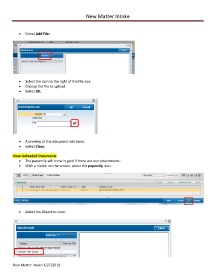
            •  Select Add File:


            •  Select the icon to the right of the File box.
            •  Choose the file to upload.
            •  Select OK.


            •  A preview of the document will show.
            •  Select Close.

        View Uploaded Documents
            •  The paperclip will show in gold if there are any attachments:
            •  With a matter on the screen, select the paperclip icon.


            •  Select the Object to view:


        New Matter Intake 3/27/2018

