


Page 23 - Advantech WP-5530
P. 23
Removing and Replacing the SATA Hard Disk


                  NOTE:          This system does not support Parallel ATA (PATA) hard drives.

                                 Before removing the original hard drive, be sure to back up its data so that you
                                 can transfer the data to the replacement hard drive. Also, if you are replacing the
                                 primary hard drive, make sure you have a recovery disc set to restore the
                                 operating system, software drivers, and any software applications that were
                                 preinstalled on the system.


            1.  Turn off the system power properly through the operating system, then turn off any external
               devices.

            2.  Disconnect the power cord from the power outlet and disconnect any external devices.


                  CAUTION:       Regardless of the power-on state, voltage is always present on the main board as
                                 long as the system is plugged into an active AC outlet. You must disconnect the
                                 power cord to avoid damage to the internal components of the system.


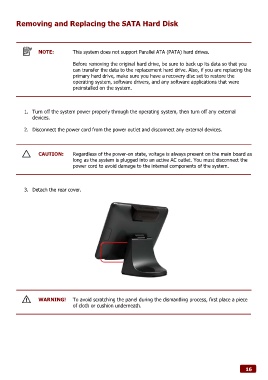
            3.  Detach the rear cover.


                  WARNING!       To avoid scratching the panel during the dismantling process, first place a piece
                                 of cloth or cushion underneath.


                                                                                                              16

