


Page 294 - Med Plaza and Cancer Center
P. 294
Medical Lubricated Vacuum


            Appendix A:  TotalAlert Embedded Control System


                                                                 A.7.10   Electronic Notifi cation Setup

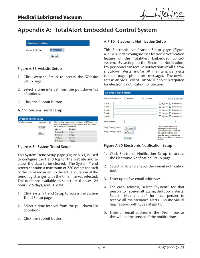
                                                                 This Electronic Notifi cation Setup page (Figure
                                                                 A.35) is used to confi gure the Electronic Notifi cation
                                                                 feature of the TotalAlert Embedded control
                                                                 system.  By setting up the Electronic Notifi cation,
                                                                 key personnel can receive notifi cations of all alarm/
            Figure A.33 Website Setup
                                                                 shutdown alerts and/or all maintenance alerts
            1.  Click Website Setup to access the Website        (e-mail, pager, phone text message).  The device
               Setup page.                                       acts as an SMTP client.  An SMTP server is required
                                                                 for electronic notifi cation to function.
            2.  Select a time interval from the pull-down list
               of options.

            3.  Click the Submit button.


            A.7.9   System Trend Setup


            Figure A.34 System Trend Setup                       Figure A.35 Electronic Notifi cation Setup

            This System Trend Setup page (Figure A.34) is used   1.  Click Electronic Notifi cation Setup to access
            to confi gure the trend log for the website and to       the Electronic Notifi cation Setup page.
            allow the data to be cleared.  The System Trend
            screen contains a maximum of 720 events for each     2.  Select Enable to enable the e-mail notifi cation
            of the items recorded, so the actual duration of the    tool.
            trend log changes with the time interval selected.
            The durations available to select are 6 hours, 24    3.  Enter up to fi ve email addresses.
            hours, 2.5 days, and 10 days.
                                                                 4.  For each address, select “System” for that
                                                                    person to receive all alarm/shutdown alerts.
            1.  Click System Trend Setup to access the System
               Trend Setup page.                                    Select “Maintenance” for that person to
                                                                    receive all maintenance alerts.  An individual
                                                                    may receive both types of alerts.
            2.  Select a time interval from the pull-down list
               of options.
                                                                 5.  Enter an email address in the “From” box as
                                                                    this will be the sender of the notifi cations.
            3.  Click the Submit button.


                                                             A-19                                 4107 9000 96.03

