


Page 4 - Computer Basics - Research
P. 4
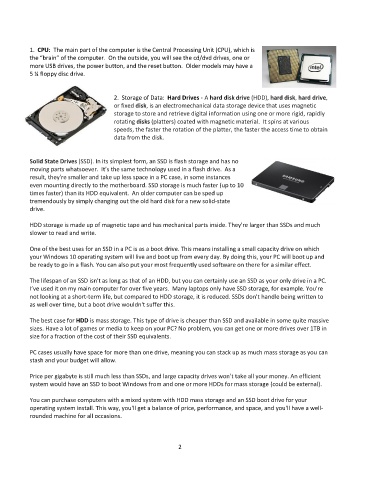
1.  CPU:  The main part of the computer is the Central Processing Unit (CPU), which is
           the “brain” of the computer.  On the outside, you will see the cd/dvd drives, one or
           more USB drives, the power button, and the reset button.  Older models may have a
           5 ¼ floppy disc drive.


                                        2.  Storage of Data:  Hard Drives - A hard disk drive (HDD), hard disk, hard drive,
                                        or fixed disk, is an electromechanical data storage device that uses magnetic
                                        storage to store and retrieve digital information using one or more rigid, rapidly
                                        rotating disks (platters) coated with magnetic material.  It spins at various
                                        speeds, the faster the rotation of the platter, the faster the access time to obtain
                                        data from the disk.


           Solid State Drives (SSD). In its simplest form, an SSD is flash storage and has no
           moving parts whatsoever.  It’s the same technology used in a flash drive.  As a
           result, they're smaller and take up less space in a PC case, in some instances
           even mounting directly to the motherboard. SSD storage is much faster (up to 10
           times faster) than its HDD equivalent.  An older computer can be sped up
           tremendously by simply changing out the old hard disk for a new solid-state
           drive.

           HDD storage is made up of magnetic tape and has mechanical parts inside. They're larger than SSDs and much
           slower to read and write.

           One of the best uses for an SSD in a PC is as a boot drive. This means installing a small capacity drive on which
           your Windows 10 operating system will live and boot up from every day. By doing this, your PC will boot up and
           be ready to go in a flash. You can also put your most frequently used software on there for a similar effect.

           The lifespan of an SSD isn't as long as that of an HDD, but you can certainly use an SSD as your only drive in a PC.
           I’ve used it on my main computer for over five years.  Many laptops only have SSD storage, for example. You're
           not looking at a short-term life, but compared to HDD storage, it is reduced. SSDs don't handle being written to
           as well over time, but a boot drive wouldn't suffer this.

           The best case for HDD is mass storage. This type of drive is cheaper than SSD and available in some quite massive
           sizes. Have a lot of games or media to keep on your PC? No problem, you can get one or more drives over 1TB in
           size for a fraction of the cost of their SSD equivalents.

           PC cases usually have space for more than one drive, meaning you can stack up as much mass storage as you can
           stash and your budget will allow.

           Price per gigabyte is still much less than SSDs, and large capacity drives won't take all your money. An efficient
           system would have an SSD to boot Windows from and one or more HDDs for mass storage (could be external).

           You can purchase computers with a mixed system with HDD mass storage and an SSD boot drive for your
           operating system install. This way, you'll get a balance of price, performance, and space, and you'll have a well-
           rounded machine for all occasions.


                                                             2

