


Page 5 - Computer Basics - Research
P. 5
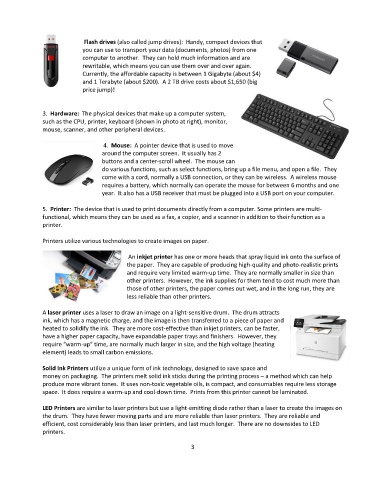
Flash drives (also called jump drives):  Handy, compact devices that
                             you can use to transport your data (documents, photos) from one
                             computer to another.  They can hold much information and are
                             rewritable, which means you can use them over and over again.
                             Currently, the affordable capacity is between 1 Gigabyte (about $4)
                             and 1 Terabyte (about $200).  A 2 TB drive costs about $1,650 (big
                             price jump)!


               3.  Hardware:  The physical devices that make up a computer system,
               such as the CPU, printer, keyboard (shown in photo at right), monitor,
               mouse, scanner, and other peripheral devices.

                                    4.  Mouse:  A pointer device that is used to move
                                   around the computer screen.  It usually has 2
                                   buttons and a center-scroll wheel.  The mouse can
                                   do various functions, such as select functions, bring up a file menu, and open a file.  They
                                   come with a cord, normally a USB connection, or they can be wireless.  A wireless mouse
                                   requires a battery, which normally can operate the mouse for between 6 months and one
                                   year.  It also has a USB receiver that must be plugged into a USB port on your computer.

               5.  Printer:  The device that is used to print documents directly from a computer. Some printers are multi-
               functional, which means they can be used as a fax, a copier, and a scanner in addition to their function as a
               printer.

               Printers utilize various technologies to create images on paper.

                                             An inkjet printer has one or more heads that spray liquid ink onto the surface of
                                            the paper.  They are capable of producing high-quality and photo-realistic prints
                                            and require very limited warm-up time.  They are normally smaller in size than
                                            other printers.  However, the ink supplies for them tend to cost much more than
                                            those of other printers, the paper comes out wet, and in the long run, they are
                                            less reliable than other printers.

               A laser printer uses a laser to draw an image on a light-sensitive drum.  The drum attracts
               ink, which has a magnetic charge, and the image is then transferred to a piece of paper and
               heated to solidify the ink.  They are more cost-effective than inkjet printers, can be faster,
               have a higher paper capacity, have expandable paper trays and finishers.  However, they
               require “warm-up” time, are normally much larger in size, and the high voltage (heating
               element) leads to small carbon emissions.

               Solid Ink Printers utilize a unique form of ink technology, designed to save space and
               money on packaging.  The printers melt solid ink sticks during the printing process – a method which can help
               produce more vibrant tones.  It uses non-toxic vegetable oils, is compact, and consumables require less storage
               space.  It does require a warm-up and cool-down time.  Prints from this printer cannot be laminated.

               LED Printers are similar to laser printers but use a light-emitting diode rather than a laser to create the images on
               the drum.  They have fewer moving parts and are more reliable than laser printers.  They are reliable and
               efficient, cost considerably less than laser printers, and last much longer.  There are no downsides to LED
               printers.

                                                                  3

