


Page 117 - Graphic Mac User Guide
P. 117
 Working with Scripts
Scripts are lines of codes that perform a sequence of operations. You can use the built-in code editor (Plugins > Plugin Editor) to create, test, and run custom scripts. Previously time- consuming tasks can be automated easily with a few lines of code.
If coding is not your thing or if you want to learn how it works you can  nd more information and a set of neat plugins on this webpage: Graphic Plugins.
Storing and Using Plugins
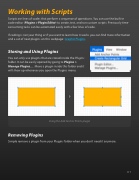
You can only use plugins that are stored inside the Plugins folder. It can be easily opened by going to Plugins > Manage Plugins.... Move a plugin inside this folder and it will show up whenever you open the Plugins menu.
Using the Add Anchor Points plugin
Removing Plugins
Simple remove a plugin from your Plugins folder when you don’t need it anymore.
         117


