


Page 116 - Graphic Mac User Guide
P. 116
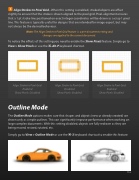
  Align Strokes to Pixel Grid - When this setting is enabled, stroked objects are offset slightly to ensure that the stroke is drawn aligned to the pixel grid. Pixel-alignment ensures that a 1 pt stroke line positioned on exact integer coordinates will be drawn as a crisp 1 pixel line. This feature is typically useful for designs that are intended for image export, but may not always be the desired behaviour.
Note: The Align Stroke to Pixel Grid feature is a per-document setting and changes are applied to the current document.
To notice the effects of this setting you need to enable the Show Pixels feature. Simply go to View > Show Pixels or use the ⌘-Alt-P keyboard shortcut.
      Align Stroke to Pixel Grid: Enabled
Show Pixels: Disabled
Outline Mode
Align Stroke to Pixel Grid: Disabled
Show Pixels: Enabled
Align Stroke to Pixel Grid: Enabled
Show Pixels: Enabled
The Outline Mode options makes sure that shapes and objects (new or already created) are drawn only as simple outlines. This can signi cantly improve performance when working on large complex documents. With this setting disabled, objects are fully redrawn as they are being moved, resized, rotated, etc.
Simply go to View > Outline Mode or use the ⌘-3 keyboard shortcut to enable this feature.
   116


