


Page 47 - Graphic Mac User Guide
P. 47
  The Pen tool can also be used to add or remove points from any path. The Pen mode control in the Tool Options bar can be used to change the Pen tool from the default path creation mode, to the ‘Add Points’ or ‘Delete Points’ modes.
First select the path to edit using the Move or Path Selection tools.
Create Paths
Add Points
Cut Paths Delete Points
        Adding Path Points
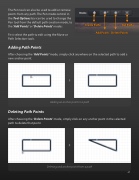
After choosing the ‘Add Points’ mode, simply click anywhere on the selected path to add a
new anchor point.
      Deleting Path Points
Adding an anchor point to a path
After choosing the ‘Delete Points’ mode, simply click on any anchor point in the selected path to delete that point.
      Deleting and anchor point from a path
 47


