


Page 189 - Divyank Tyagi
P. 189
|
                                                                         sTraTegies for managing TemplaTes    155


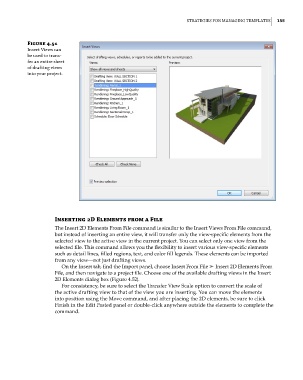
                 Figure 4.51
                 insert Views can
                 be used to trans-
                 fer an entire sheet
                 of drafting views
                 into your project.


                           Inserting 2D elements from a File
                           The Insert 2D Elements From File command is similar to the Insert Views From File command,
                           but instead of inserting an entire view, it will transfer only the view-specific elements from the
                           selected view to the active view in the current project. You can select only one view from the
                           selected file. This command allows you the flexibility to insert various view-specific elements
                           such as detail lines, filled regions, text, and color fill legends. These elements can be imported
                           from any view—not just drafting views.
                             On the Insert tab, find the Import panel, choose Insert From File ➢ Insert 2D Elements From
                           File, and then navigate to a project file. Choose one of the available drafting views in the Insert
                           2D Elements dialog box (Figure 4.52).
                             For consistency, be sure to select the Transfer View Scale option to convert the scale of
                           the active drafting view to that of the view you are inserting. You can move the elements
                           into position using the Move command, and after placing the 2D elements, be sure to click
                           Finish in the Edit Pasted panel or double-click anywhere outside the elements to complete the
                           command.


          c04.indd   155                                                                             5/3/2014   10:37:07 AM

