


Page 153 - UNI 101 Computer Science Handout.
P. 153
Faculty of Nursing
                                                                  Adult care Nursing Department


              1)            Navigate to the slide that contains the audio that you would like to move.


              2)            Click and drag the audio file to the desired location.

              Playing Background Music Across all Slides


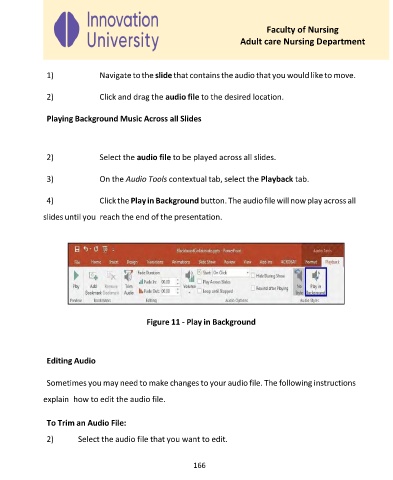
              2)            Select the audio file to be played across all slides.

              3)            On the Audio Tools contextual tab, select the Playback tab.


              4)            Click the Play in Background button. The audio file will now play across all

             slides until you  reach the end of the presentation.


                                         Figure 11 - Play in Background


              Editing Audio


              Sometimes you may need to make changes to your audio file. The following instructions

             explain  how to edit the audio file.


              To Trim an Audio File:
              2)      Select the audio file that you want to edit.


                                                     166

