


Page 152 - UNI 101 Computer Science Handout.
P. 152
Faculty of Nursing
                                                                  Adult care Nursing Department


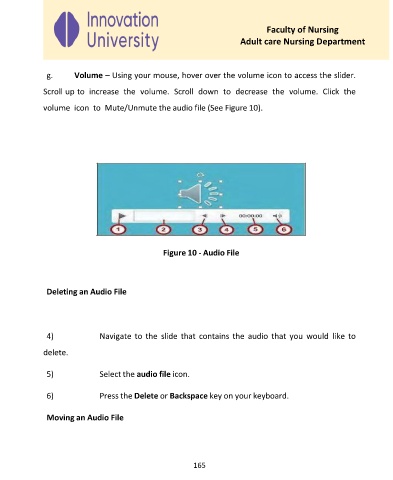
              g.     Volume – Using your mouse, hover over the volume icon to access the slider.

             Scroll up to  increase  the  volume.  Scroll  down  to  decrease  the  volume.  Click  the

             volume  icon  to  Mute/Unmute the audio file (See Figure 10).


                                             Figure 10 - Audio File


              Deleting an Audio File


              4)            Navigate to the  slide that contains the  audio that you  would  like to

             delete.

              5)            Select the audio file icon.


              6)            Press the Delete or Backspace key on your keyboard.


              Moving an Audio File


                                                     165

