


Page 154 - UNI 101 Computer Science Handout.
P. 154
Faculty of Nursing
                                                                  Adult care Nursing Department


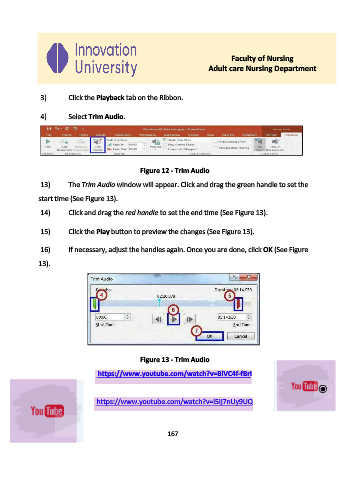
              3)      Click the Playback tab on the Ribbon.


              4)      Select Trim Audio.


                                             Figure 12 - Trim Audio

              13)     The Trim Audio window will appear. Click and drag the green handle to set the

             start time (See Figure 13).
              14)     Click and drag the red handle to set the end time (See Figure 13).


              15)     Click the Play button to preview the changes (See Figure 13).


              16)     If necessary, adjust the handles again. Once you are done, click OK (See Figure
             13).


                                             Figure 13 - Trim Audio

                               https://www.youtube.com/watch?v=BlVC4f-fBrI


                               https://www.youtube.com/watch?v=l5Ij7nUy9UQ


                                                     167

