


Page 211 - JoFA_2022
P. 211
MICROSOFT EXCEL

          Add color to your Excel workbooks

          Q. I would like   A. There are several ways to add color to your Excel   You can also add some color to your Excel
          to add some      workbooks. Some reasons you may want to do this   workbook by changing the color of the gridlines
          color to my Excel   are to represent your organization’s colors, to distin-  from the default gray. To do this, go to File,
          workbooks. What   guish items in your workbook, or just to give your   Options, Advanced. Under the heading Display
          are some ways of   spreadsheet some personality.           options for this worksheet, click the drop-down
          doing that?        The two most basic ways to add color to your   arrow next to Gridline color and select the color
                           Excel spreadsheet are to use Fill Color and Font   you want.
                           Color. These are located on the Home tab in the   You can change the standard white background
                           Font group. You can use Fill Color to change the   of your Excel spreadsheet to a more colorful
                           background color of specific cells and use Font   background, perhaps one that represents your
                           Color to change the color of the content within   organization or one that makes your spreadsheet
                           specific cells.                           more appealing. To do this, go to the Page Layout
                             Another way to add color to your Excel   tab and choose Background from the Page Setup
                           workbook is to color-code your worksheet tabs.   group. The Insert Pictures window will open. If
                           This helps differentiate the tabs at the bottom of   you already have an image you would like to use as
                           your workbook, which is particularly useful when   the background, choose From a file or OneDrive
                           the workbook contains many tabs. To color-code   — Personal to navigate to the picture. You can also
                           a tab, right-click on the tab and choose Tab Color,   choose Bing Image Search to choose an image
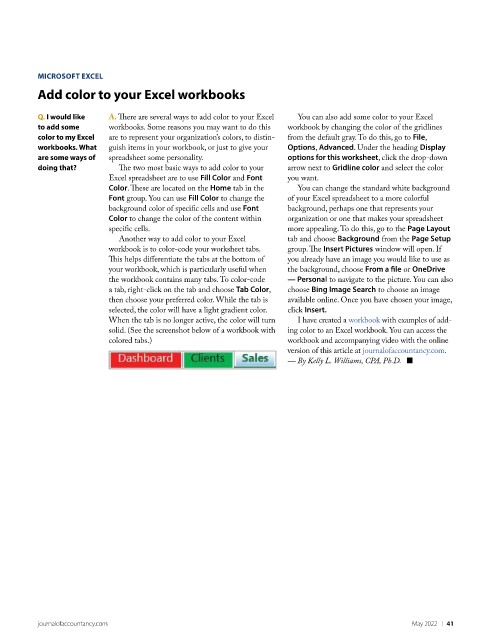
                           then choose your preferred color. While the tab is   available online. Once you have chosen your image,
                           selected, the color will have a light gradient color.   click Insert.
                           When the tab is no longer active, the color will turn   I have created a workbook with examples of add-
                           solid. (See the screenshot below of a workbook with   ing color to an Excel workbook. You can access the
                           colored tabs.)                            workbook and accompanying video with the online
                                                                     version of this article at journalofaccountancy.com.
                                                                     — By Kelly L. Williams, CPA, Ph.D.   ■


          journalofaccountancy.com                                                                May 2022    |   41

