


Page 112 - Graphic Mac User Guide
P. 112
 Locking Guides
You can always lock your guide and make them un-selectable. Simply go to View > Guides > Lock Guides or use the ⌘-Shift-; keyboard shortcut. Use the same keyboard shortcut to
unlock the guides.
Removing Guides
You can remove a guide manually by dragging it outside the document’s bounds where you should get to see the Remove Guide tooltip.
To remove all guides at once simply go to View > Guides > Clear Guides. Smart Guides
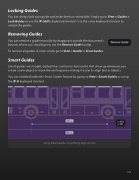
Smart guides are straight, dotted lines (vertical or horizontal) that show up whenever you create a new object or move the existing ones making it easier to align text or objects.
You can enable/disable the Smart Guides feature by going to View > Smart Guides or using the ⌘-U keyboard shortcut.
  Using Smart Guides to perfectly align a circle
 112


