


Page 16 - Graphic Mac User Guide
P. 16
                Canvas
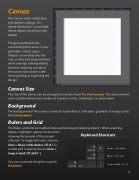
The Canvas is the visible area that de nes a design. It is where illustrations are created; where objects are drawn and edited.
The grey patterned area surrounding the canvas is non- printable ‘scratch’ space. Objects can overlap into this area, or they can be placed here while a design is being edited, however anything outside of the canvas will not be visible when printing or exporting the design.
Canvas Size
The size of the canvas can be changed at any time from the Canvas pane. The measurement units used for dimensions can be set to pixels, inches, millimeters, or centimeters.
Background
The background of the canvas can be set to be either a solid color, gradient, or image (using the Canvas pane).
Rulers and Grid
The Rulers and Grid are helpful when positioning and aligning objects. When selecting
objects, highlights appear on the rulers showing the bounds of the current selection. To toggle the rulers, choose View > Show / Hide Rulers [ ⌘-R ]. To enable grid snapping choose View > Snap to Grid [ ⌘-Shift-’ ].
You can customize the grid using the Grid pane.
Keyboard Shortcuts
Show/Hide Rulers Show/Hide Grid
Toggle Snap to Grid
             16


