


Page 677 - Med Plaza and Cancer Center
P. 677
PROPRIETARY AND CONFIDENTIAL DRAFT 28/Feb/03

                   Configuring and Browsing the Master Alarm by Using the Web Pages
                   Chapter 1: Introduction

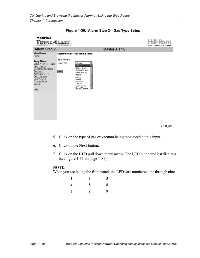
                                         Figure 1-30.  Alarm Step 2—Gas Type Setup


                                 5. Click on the type of gas or vacuum being monitored at this input.

                                 6. Click on the Next button.

                                 7. Click on the LED pull down menu arrow. The LED numbered list displays
                                     (see figure 1-31 on page 1-81).


                                 NOTE:
                                 When you are facing the front panel, the LEDs are numbered one through nine.

                                            1          2          3
                                            4          5          6

                                            7          8          9


                   Page 1 - 80           MedPlus TotalAlert™ Alarm Network Operation and Maintenance Manual (man291ra)

