


Page 82 - Computer Basics - Research
P. 82
9. Last name, First name. “Article Title.” Website Title. Month Date, Year of publication. Publication/Updated
           Month Date, Year OR Accessed Month Date, Year of access. URL.


           Creating Footnotes Using Microsoft Word


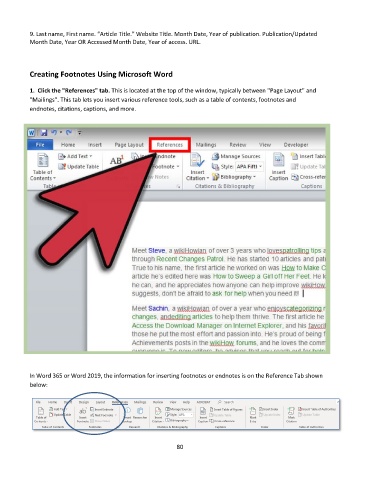
           1.  Click the "References" tab. This is located at the top of the window, typically between "Page Layout" and
           "Mailings". This tab lets you insert various reference tools, such as a table of contents, footnotes and
           endnotes, citations, captions, and more.


           In Word 365 or Word 2019, the information for inserting footnotes or endnotes is on the Reference Tab shown
           below:


                                                             80

