


Page 165 - JoFA_2022
P. 165
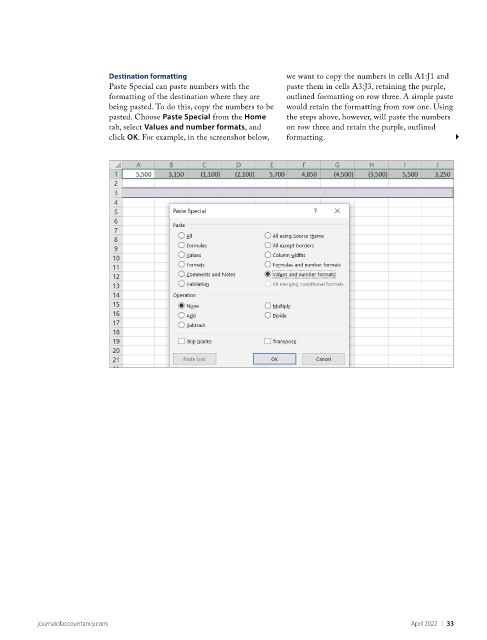
Destination formatting                    we want to copy the numbers in cells A1:J1 and
                           Paste Special can paste numbers with the   paste them in cells A3:J3, retaining the purple,
                           formatting of the destination where they are   outlined formatting on row three. A simple paste
                           being pasted. To do this, copy the numbers to be   would retain the formatting from row one. Using
                           pasted. Choose Paste Special from the Home   the steps above, however, will paste the numbers
                           tab, select Values and number formats, and   on row three and retain the purple, outlined
                           click OK. For example, in the screenshot below,   formatting.


          journalofaccountancy.com                                                                April 2022    |   33

