


Page 397 - JoFA_2022
P. 397
TECHNOLOGY Q&A


         MICROSOFT EXCEL
         Smart Lookup in Microsoft Excel


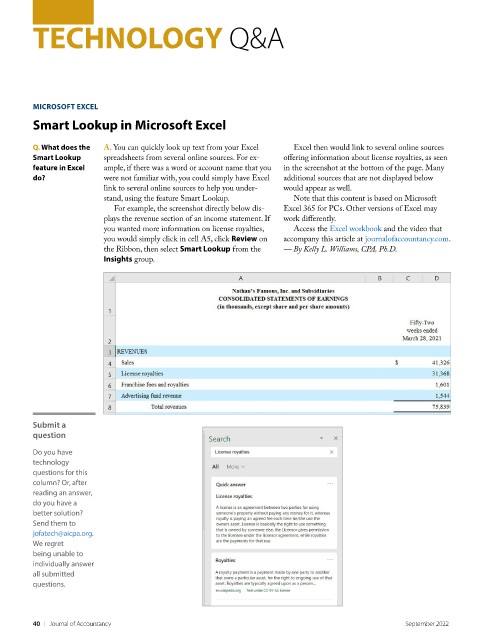
         Q. What does the   A. You can quickly look up text from your Excel   Excel then would link to several online sources
         Smart Lookup     spreadsheets from several online sources. For ex-  offering information about license royalties, as seen
         feature in Excel   ample, if there was a word or account name that you   in the screenshot at the bottom of the page. Many
         do?              were not familiar with, you could simply have Excel   additional sources that are not displayed below
                          link to several online sources to help you under-  would appear as well.
                          stand, using the feature Smart Lookup.      Note that this content is based on Microsoft
                            For example, the screenshot directly below dis-  Excel 365 for PCs. Other versions of Excel may
                          plays the revenue section of an income statement. If   work differently.
                          you wanted more information on license royalties,   Access the Excel workbook and the video that
                          you would simply click in cell A5, click Review on   accompany this article at journalofaccountancy.com.
                          the Ribbon, then select Smart Lookup from the   — By Kelly L. Williams, CPA, Ph.D.
                          Insights group.


         Submit a
         question
         Do you have
         technology
         questions for this
         column? Or, after
         reading an answer,
         do you have a
         better solution?
         Send them to
         jofatech@aicpa.org.
         We regret
         being unable to
         individually answer
         all submitted
         questions.


         40    |   Journal of Accountancy                                                        September 2022

