


Page 518 - JoFA_2022
P. 518
Loading tables


                                            Forming relationships in Power BI
          Desktop and select Get Data (as
          shown in the screenshot “Get Data”),
          as illustrated earlier using the Excel-
          based approach. Scroll down and
          select QuickBooks Online (Beta),
          then click Connect. Upon attempt-
          ing to connect, Power BI will ask you
          to “Sign in” to QuickBooks Online.
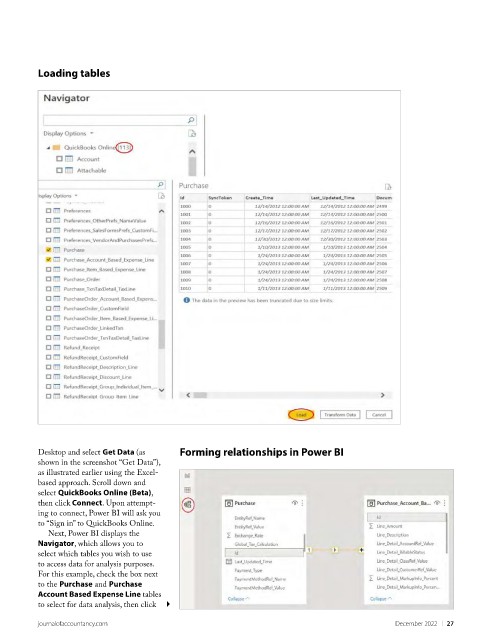
            Next, Power BI displays the
          Navigator, which allows you to
          select which tables you wish to use
          to access data for analysis purposes.
          For this example, check the box next
          to the Purchase and Purchase
          Account Based Expense Line tables
          to select for data analysis, then click

          journalofaccountancy.com                                                             December 2022    |   27

