


Page 514 - JoFA_2022
P. 514
Data needs to be cleaned
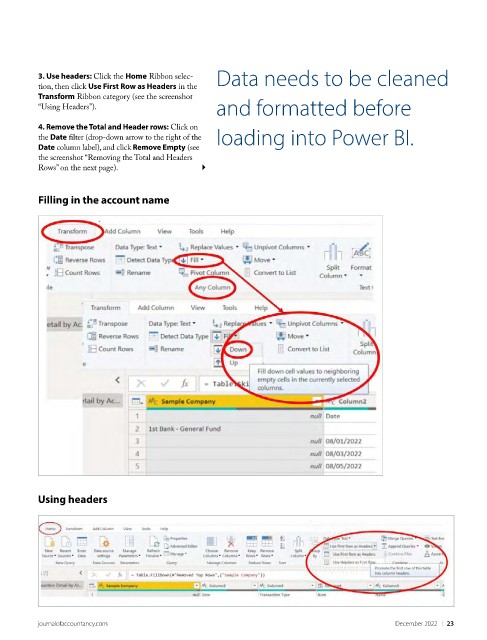
          3. Use headers: Click the Home Ribbon selec-
          tion, then click Use First Row as Headers in the
          Transform Ribbon category (see the screenshot
          “Using Headers”).                         and formatted before

          4. Remove the Total and Header rows: Click on
          the Date filter (drop-down arrow to the right of the   loading into Power BI.
          Date column label), and click Remove Empty (see
          the screenshot “Removing the Total and Headers
          Rows” on the next page).


          Filling in the account name


          Using headers


          journalofaccountancy.com                                                             December 2022    |   23

